Brandy 2D Link
A downloadable Blender add-on
Brandy 2D Link is a Windows x64 Blender add-on for a focused 2D game-art workflow between Blender and the Adobe Photoshop desktop application.
It is designed for artists who build 2D characters, sprites, billboards, cutout assets, and layered game-art elements in Blender while editing texture files in Photoshop.
The core loop is intentionally simple:
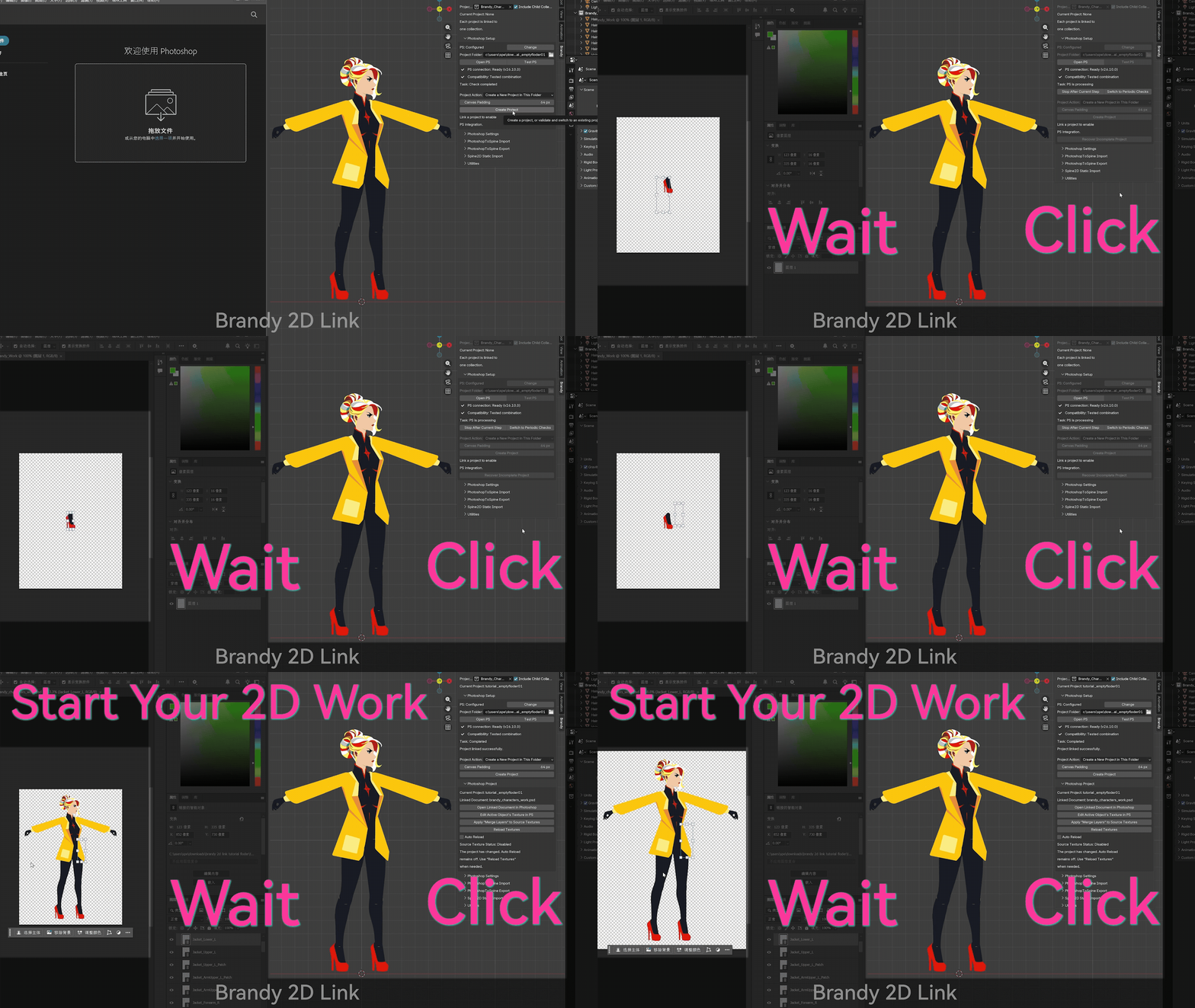
1. Prepare static sprite objects and file-based textures in Blender.
2. Create or link a Brandy project folder.
3. Open the active texture or linked PSD/PSB in Photoshop.
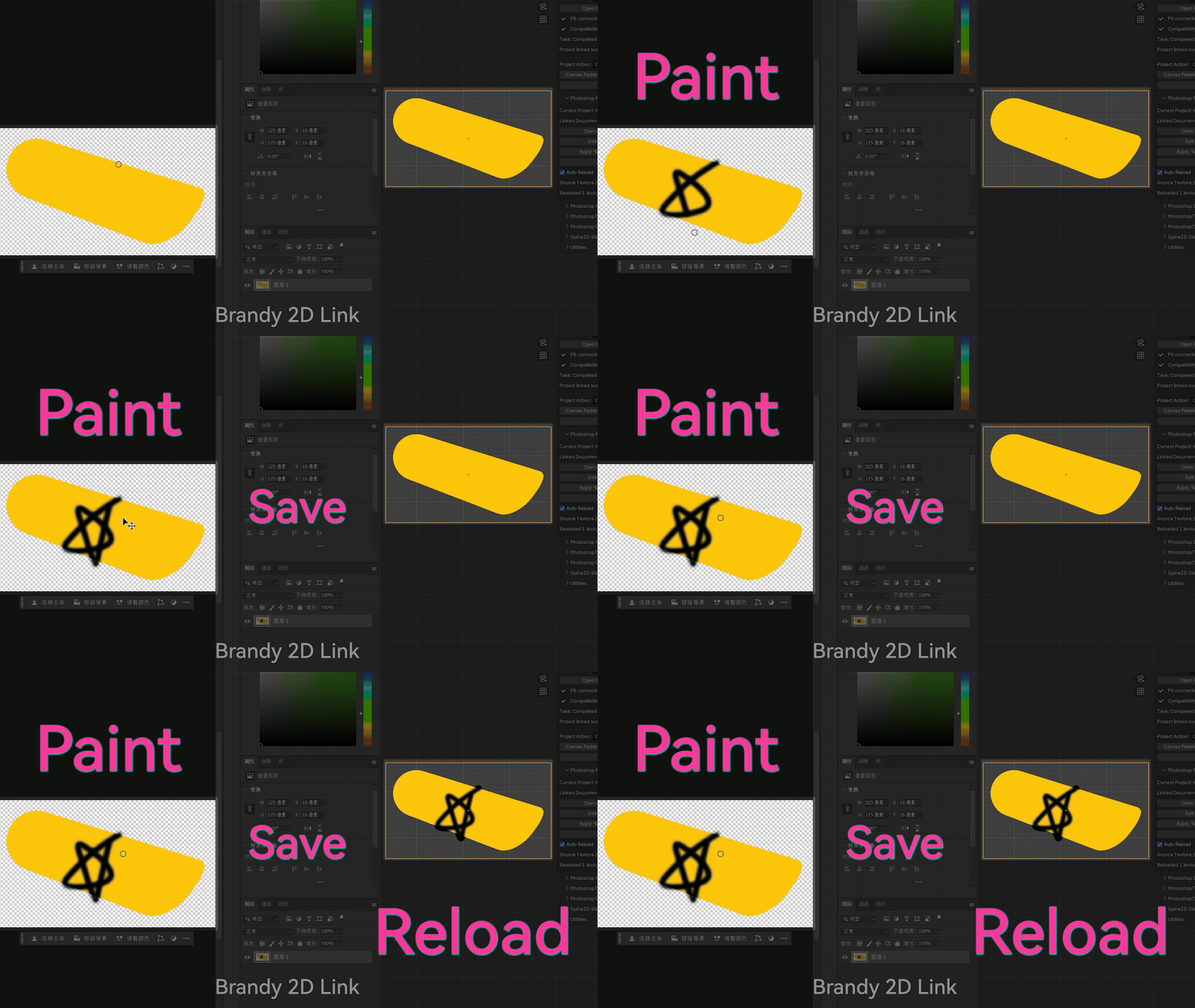
4. Paint and save.
5. Reload the matching material textures in Blender manually or with Auto Reload.
Brandy 2D Link is a save-triggered workflow. It is not a brush-by-brush live painting or streaming system.
Main Features
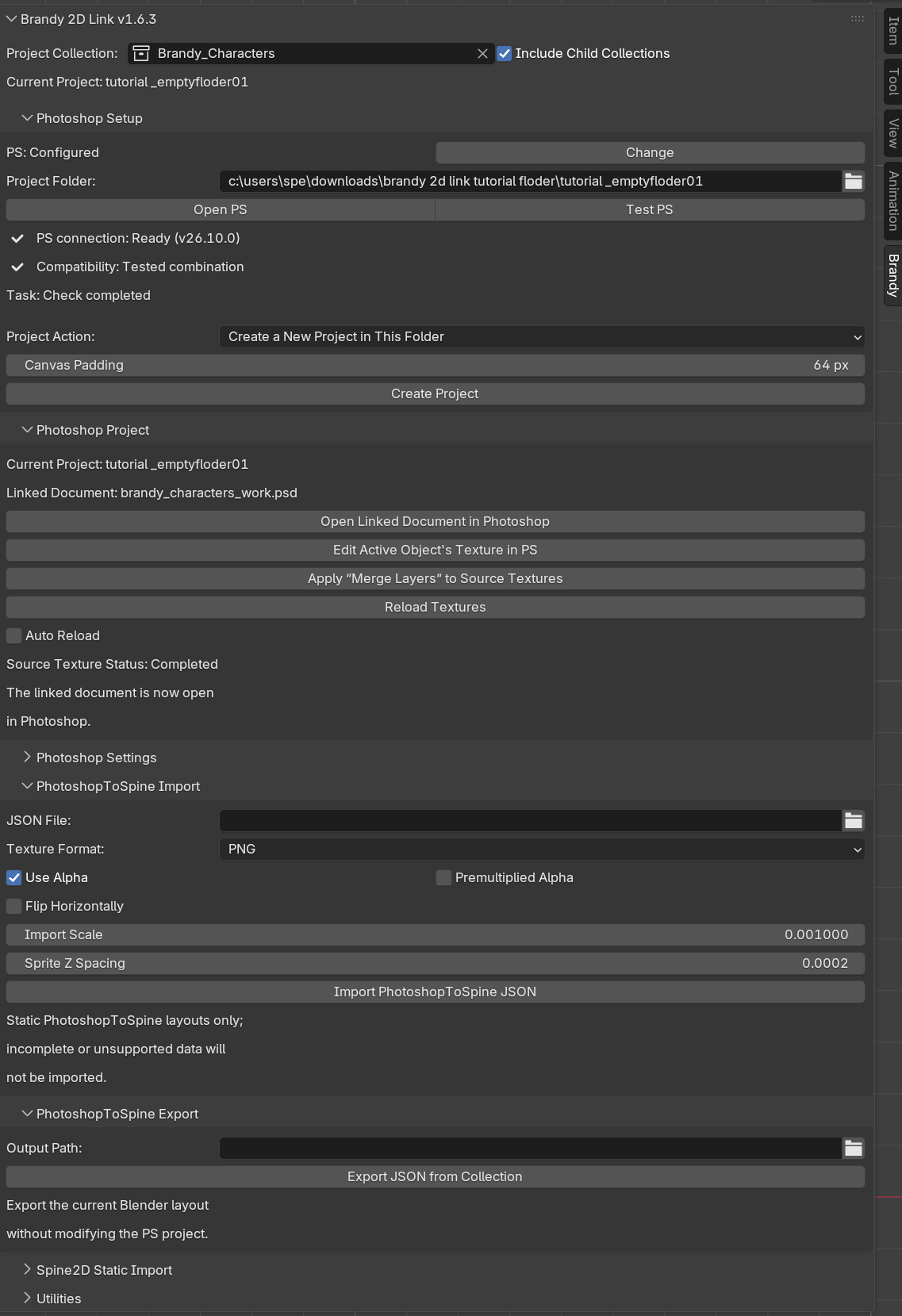
- Create, link, switch, validate, and recover independent Brandy project folders.
- Open the active sprite texture directly in Photoshop.
- Reload project textures manually or with save-triggered Auto Reload.
- Generate a linked PSD/PSB document with Smart Objects for full-layout painting context.
- Apply visible, top-level, name-matched layers from `Brandy | Merge Layers` back to matching source textures.
- Create trusted backups before supported destructive write operations.
- Undo the latest successful merge when strict file-integrity checks still pass.
- Work with PNG, TGA, JPG, and JPEG static texture workflows.
- Import and export supported PhotoshopToSpine static JSON layouts.
- Import a limited set of static Spine2D Region Attachments.
- Use the interface in Auto / 中文 / English.
Intended Users
Brandy 2D Link is intended for:
- 2D game artists using Blender and Photoshop together.
- Sprite, billboard, cutout, and layered character texture iteration.
- Artists who want to paint while checking the complete assembled asset.
- Technical artists preparing Photoshop–Blender assets for a larger game pipeline.
- Small teams that prefer a focused file-based workflow instead of a broad all-in-one pipeline tool.
Compatibility
Official package: Brandy 2D Link 1.6.3 for Windows x64.
Fully tested Blender versions:
Blender 4.2.21 LTS / Blender 4.3.2 / Blender 4.4.3 / Blender 4.5.10 / Blender 5.0.1 / Blender 5.1.2
Fully tested Adobe Photoshop desktop versions:
Adobe Photoshop CC 2017.1.6 / Adobe Photoshop 2020, version 21.2.1 / Adobe Photoshop 2022, version 23.5.0 / Adobe Photoshop 2025, version 26.10.0 / Adobe Photoshop 2026, version 27.7.0
The intended Blender install range is Blender 4.2.0 through Blender 5.1.x. Stable versions inside that range but outside the exact tested list are compatibility candidates only.
Adobe Photoshop is not included. A valid local installation of the Adobe Photoshop desktop application is required.
Important Limitations
Brandy 2D Link is not:
- a real-time brush streaming system;
- a Photoshop-side panel or UXP extension;
- a direct Unity, Unreal Engine, or other engine exporter;
- a full Spine rig, Mesh Attachment, constraint, two-color Tint, or animation importer;
- a tool for arbitrary non-rectangular meshes or unrestricted UV layouts;
- a macOS or Linux tool;
- a replacement for independent backups, version control, or normal Blender and Photoshop knowledge.
Windows automatic mode uses Windows Script Host, WMI process queries, Photoshop COM automation, and local JSX execution. These components may be disabled by enterprise policy, security software, or hardened system configuration. Manual Script mode remains available when automatic mode cannot be used.
Before Purchase
Please read the compatibility and purchase checklist before buying:
https://github.com/BrandySPE/brandy-2d-link/blob/main/docs/COMPATIBILITY_AND_PUR...
中文兼容性与购买检查清单:
https://github.com/BrandySPE/brandy-2d-link/blob/main/docs/COMPATIBILITY_AND_PUR...
Tutorials
English tutorial:
中文教程:
Installation
1. Download the official ZIP package from this itch.io page.
2. In Blender, install the ZIP as a Blender add-on / extension.
3. Enable Brandy 2D Link.
4. Open the add-on preferences and configure Photoshop if needed.
5. Run Test PS before using the add-on in a production project.
For the fastest setup path, read the Quick Start guide:
https://github.com/BrandySPE/brandy-2d-link/blob/main/docs/QUICK_START.md
Support
Support is handled for official storefront customers.
Primary support email:
brandyspe2026@gmail.com
Fallback email:
brandyspe@163.com
Please read the Support Policy before sending a report:
https://github.com/BrandySPE/brandy-2d-link/blob/main/docs/SUPPORT.md
Do not send private paths, account names, client names, unpublished artwork, credentials, payment information, or confidential production data in public comments.
License and Product Notice
Brandy 2D Link is distributed under GPL-3.0-or-later.
A purchase provides access to the official release package and the support/update terms stated on this page and in the included documentation.
Brandy 2D Link is an independent product. It is not affiliated with, endorsed by, sponsored by, or officially connected to Blender Foundation, Adobe, Unity Technologies, Epic Games, Esoteric Software, or their products.
Blender is a trademark of Blender Foundation. Adobe and Photoshop are either registered trademarks or trademarks of Adobe in the United States and/or other countries.
Purchase
In order to download this Blender add-on you must purchase it at or above the minimum price of $19.99 USD. You will get access to the following files:
Development log
- Brandy 2D Link 1.6.3 is now available5 hours ago
Leave a comment
Log in with itch.io to leave a comment.